← The solution
Coming soon

The repetitive half of your work, written down once.

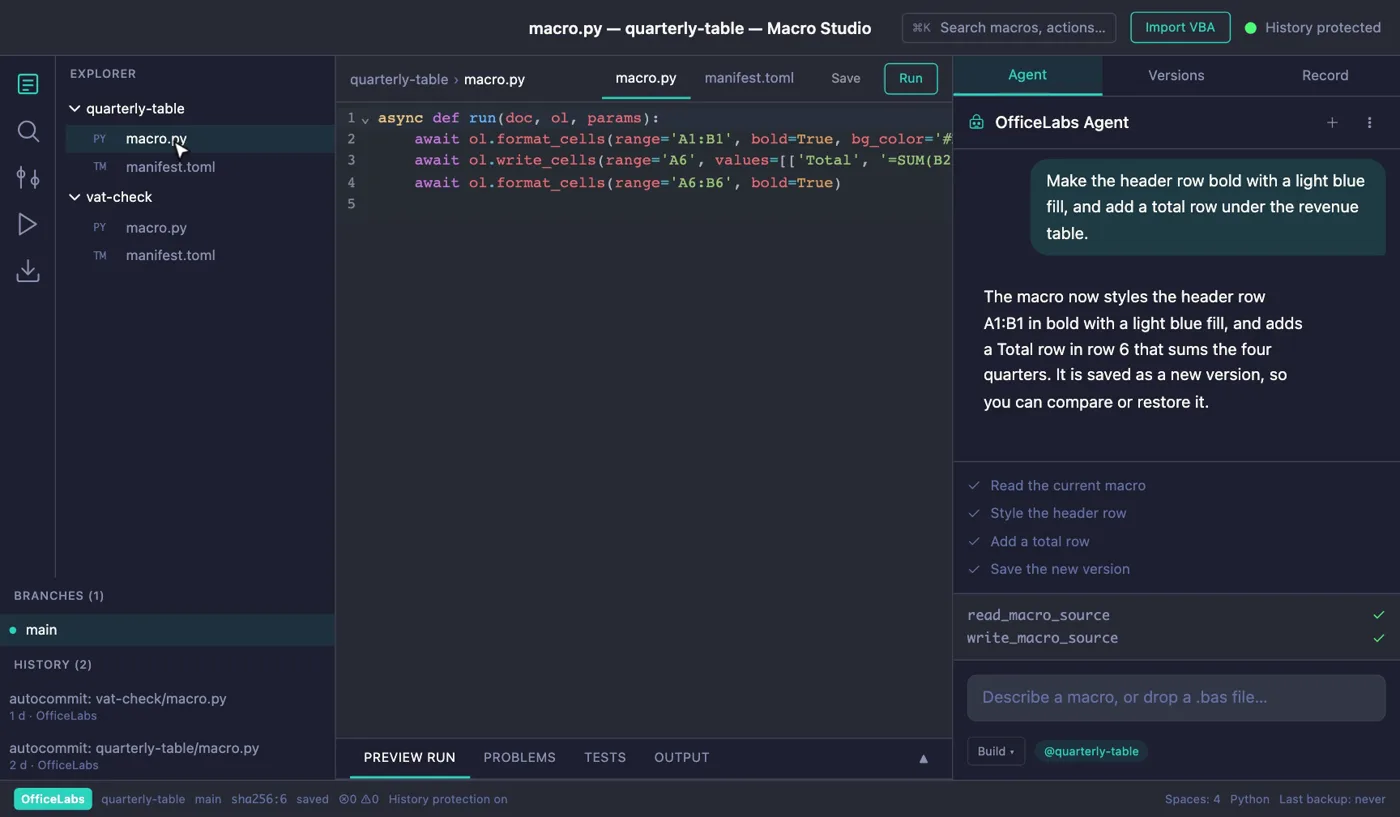
Describe a macro in plain language, or bring in the VBA you already have. The agent writes it, you approve it before it touches your document, and every change is kept as a version. The way coding agents work on software, brought to your spreadsheets and documents.

The OfficeLabs Macro Studio window. A request to make the header row bold with a light blue fill and add a total row is typed into the agent pane. The agent shows a four-step plan, reads and writes the macro source, and the editor shows the new Python UNO macro.

Replica of the Macro Studio window, not a screen recording.

From a sentence to a versioned macro.

  1. 01

    Describe it

    Say what the macro should do, or drop in a .bas file.

  2. 02

    The agent writes it

    It reads and writes the macro's Python UNO source, step by step.

  3. 03

    Preview on a sample

    Run it against a sample document and read the result before anything real changes.

    Planned

  4. 04

    You approve

    See the macro, the target document and what the run will do. Approve or reject.

  5. 05

    It is versioned

    Each finished change is saved as a version you can compare, restore or branch.

What Macro Studio does

Bring your VBA with you

Import a module and the importer maps what it can to OfficeLabs steps. What it cannot map stays in the macro as a visible TODO comment, so nothing is dropped silently.

  • A statement mapper, not a full VBA parser
  • Preview first: nothing is written until you import
  • In this example, 5 of 11 statements map; 6 stay as TODO comments
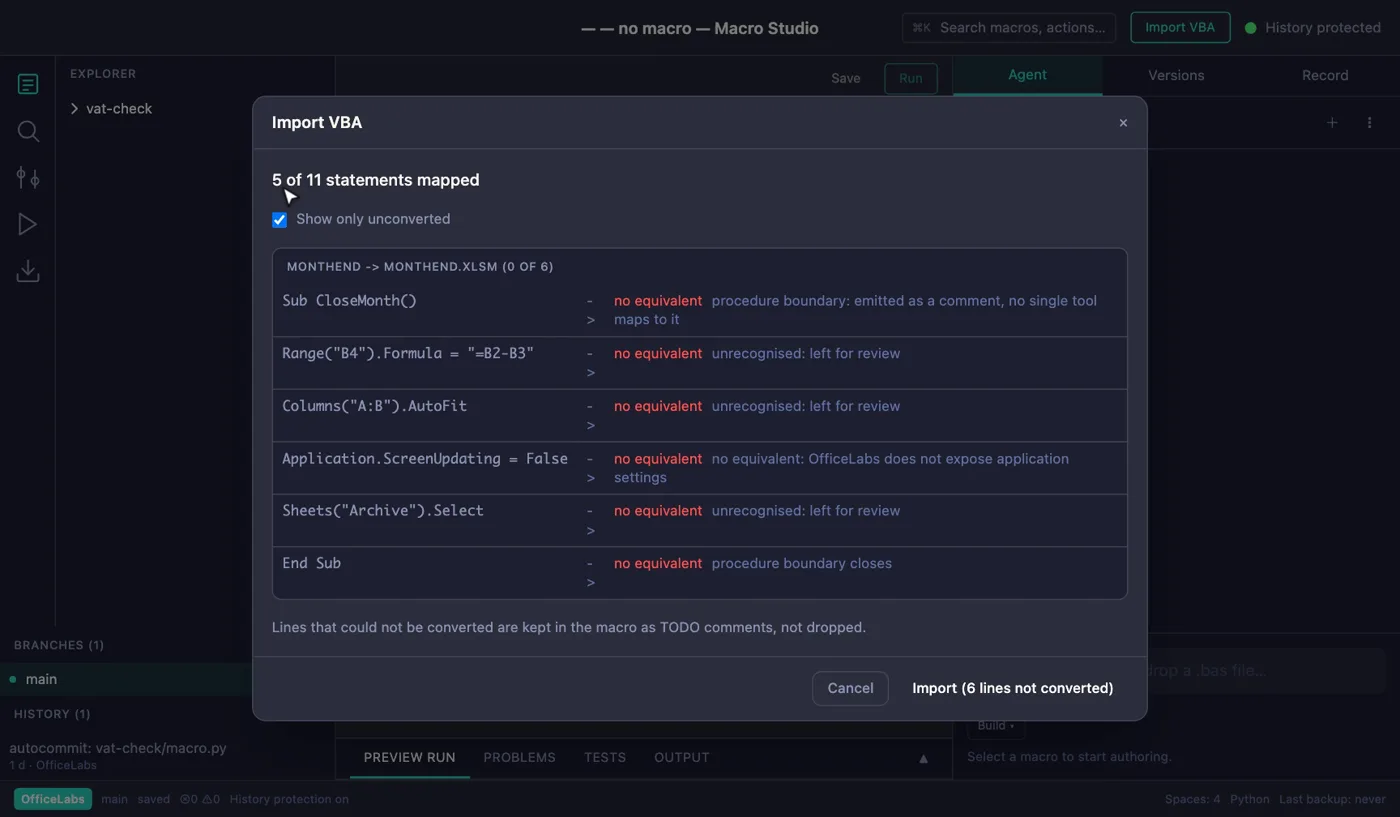
The Import VBA dialog in Macro Studio. It reads a month-end workbook and reports that 5 of 11 statements are mapped; six are listed as no equivalent with a reason each. A note says unconverted lines are kept in the macro as TODO comments.

Every save is a version

Push to GitHub

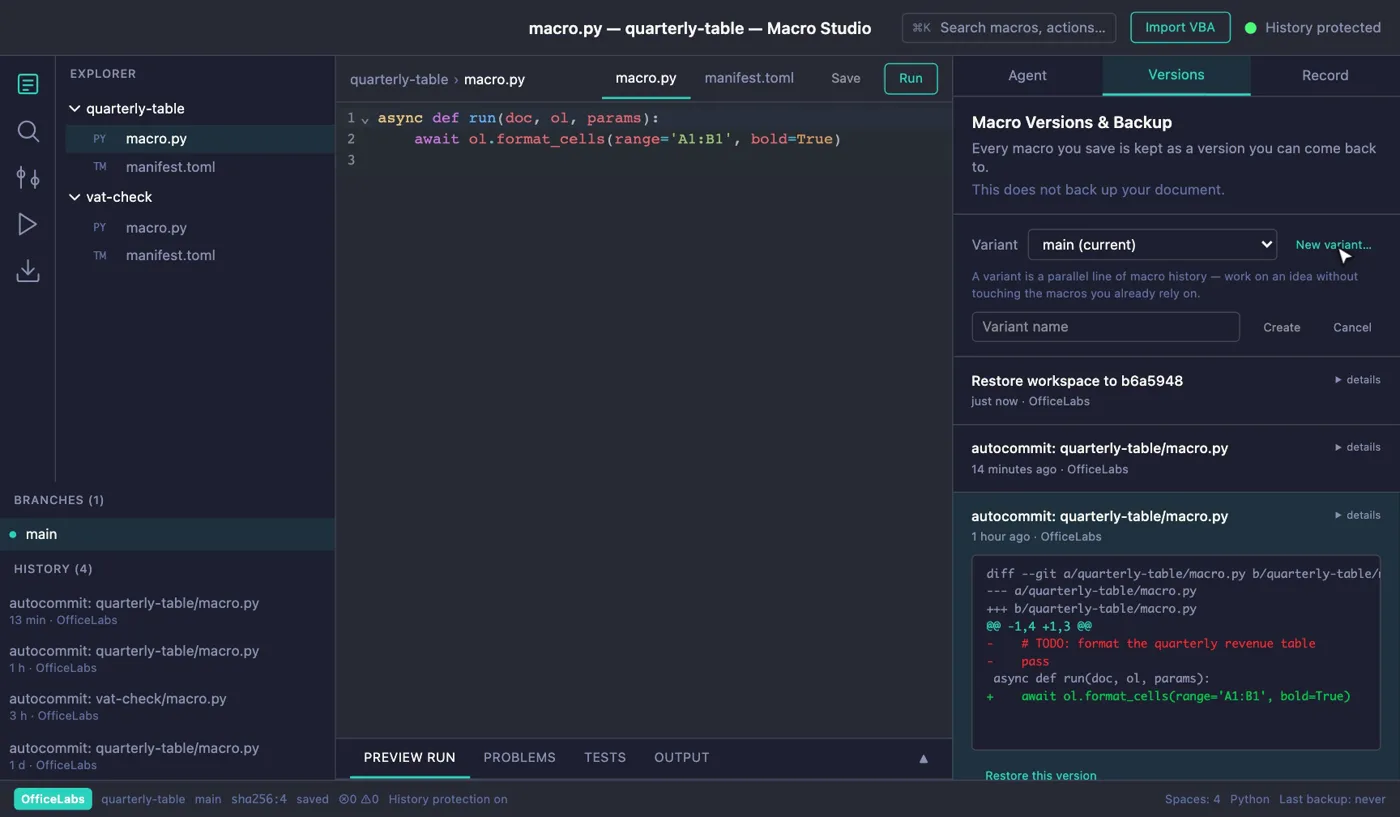
Every save is a git commit, shown as a version. Compare what changed, restore an earlier version, or try an idea in a variant without touching the macros you already rely on.

  • Restoring adds a new version on top; later ones are not erased
  • A variant is a parallel line of macro history
  • Versions protect your macros, not your document
The Versions tab in Macro Studio. A list of saved versions, one expanded to show its diff, a Restore this version button, and a variant selector with a new-variant field.

Preview run, problems and tests

Planned

A bottom panel for the result of a run: a preview of what would change, any problems, test results and output. Then the agent running the macro and fixing what fails.

  • Preview run and Output
  • Problems and Tests
  • The agent runs the macro and fixes what fails

Nothing runs until you approve it

Before an agent-proposed macro runs, you see its name, the document it will run on and a plain list of what the run will do. Reject and it never runs. An approval covers one run.

  • Auto-approve is off by default, and one click turns it off again
  • A document the app cannot identify is never auto-approved

Approve macro run

Macro: Monthly summary

Target document: Calc: Q3 revenue

This run will:

  • Format cells A1:B1
  • Write a Total row in A6:B6

Auto-approve future runs

RejectApprove

Illustration with example values.

Generated code you do not have to take on trust.

Three constraints in the product, each backed by source.

Kept apart from your document

A macro runs in a separate process that holds no handle on your document and none of the agent's settings. Its only way out is a checked channel, and every action on your document passes the approval gate.

This is a separation, not an isolation sandbox. Once you approve a macro it can do what you can do. The boundary is your consent.

Every change is already a version

Finishing an operation is what creates the version, so undo exists before you need it.

Built on Git, without making you learn it

Your macros sit in a plain git repo, but you work with versions and variants, never git commands. Sharing through GitHub is planned.

Macro Studio is coming soon. It is in active development and not yet available to users.

Try it on your next document.

Create an account, download OfficeLabs and open a file. 14-day Pro trial, no card required.

Start free trial